How to use PotentiallyCómo usar Puede
Everything you need for the test, in the order you'll need it. Read the first three steps now, and come back to the rest when you want them.Todo lo que necesitas para la prueba, en el orden en que lo vas a necesitar. Lee ahora los tres primeros pasos y vuelve al resto cuando te haga falta.
The screenshots show the phone layout with made-up example tasks.Las capturas muestran la versión para móvil con tareas de ejemplo inventadas.
Get your inviteRecibe tu invitación
Ask for an invite on potentially.es with the email you want to sign in with. A Google account or any email address works.Pide una invitación en potentially.es con el email con el que quieres entrar. Vale una cuenta de Google o cualquier dirección de email.
Invites are sent by hand, so it can take a few days. We'll email you the link when you're in. Check your spam folder if you're waiting.Las invitaciones se envían a mano, así que puede tardar unos días. Te enviaremos el enlace por email cuando estés dentro. Si lo estás esperando, mira en la carpeta de spam.
Open it and sign inÁbrela e inicia sesión
- Tap the link in the invite email, or open Potentially.Toca el enlace del email de invitación, o abre Puede.
- Sign in with Continue with Google, or type your email and tap the sign-in link we send you. Use the same email the invite went to.Inicia sesión con Continuar con Google, o escribe tu email y toca el enlace de acceso que te enviamos. Usa el mismo email al que llegó la invitación.
Your first visitTu primera visita
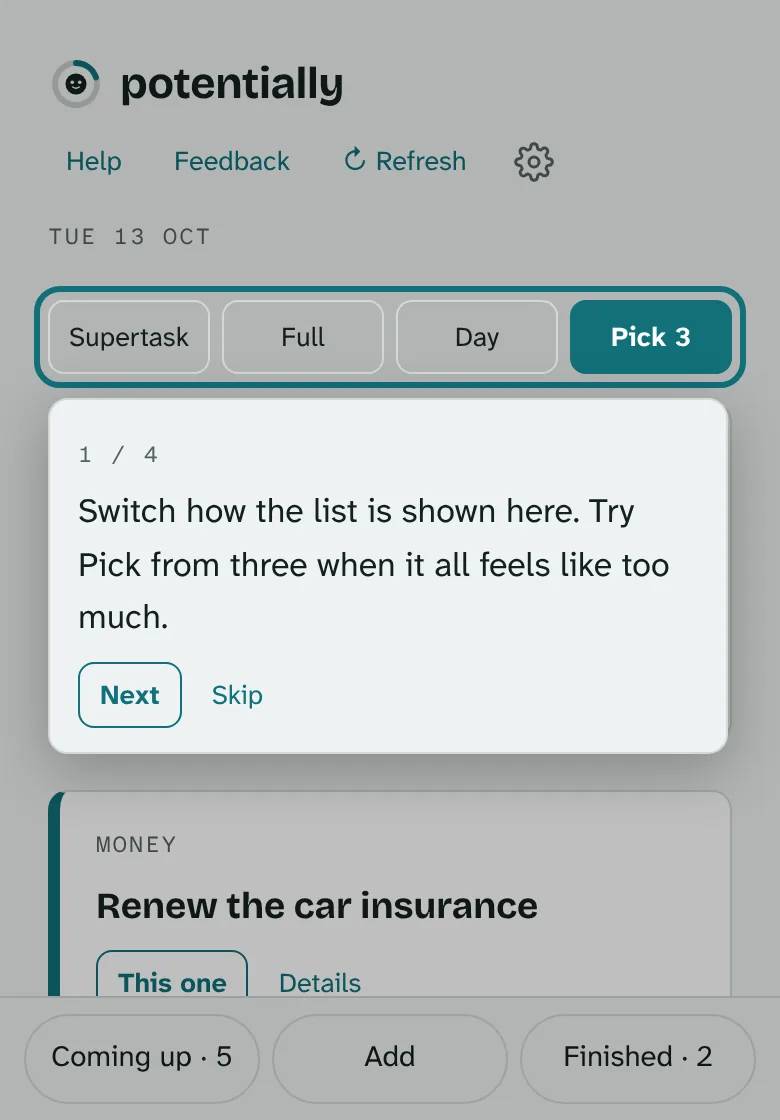
A short tour points out the main parts. You'll also see three example tasks. Delete them whenever you like, they're only there so the page isn't empty.Un breve recorrido te enseña las partes principales. También verás tres tareas de ejemplo. Bórralas cuando quieras, solo están para que la página no esté vacía.
Your list is private. Other testers can't see it. Citrus Goose can see tester lists to fix problems and to move your list to the full version later.Tu lista es privada. Los demás testers no pueden verla. Citrus Goose puede ver las listas de los testers para arreglar problemas y para pasar tu lista a la versión completa más adelante.
Tap Next to go through the tour, or Skip. You can replay it from Help.Toca Next para seguir el recorrido, o Skip. Puedes repetirlo desde Help.
Add your tasksAñade tus tareas
There are two ways. Pick whichever feels easier.Hay dos maneras. Usa la que te resulte más fácil.
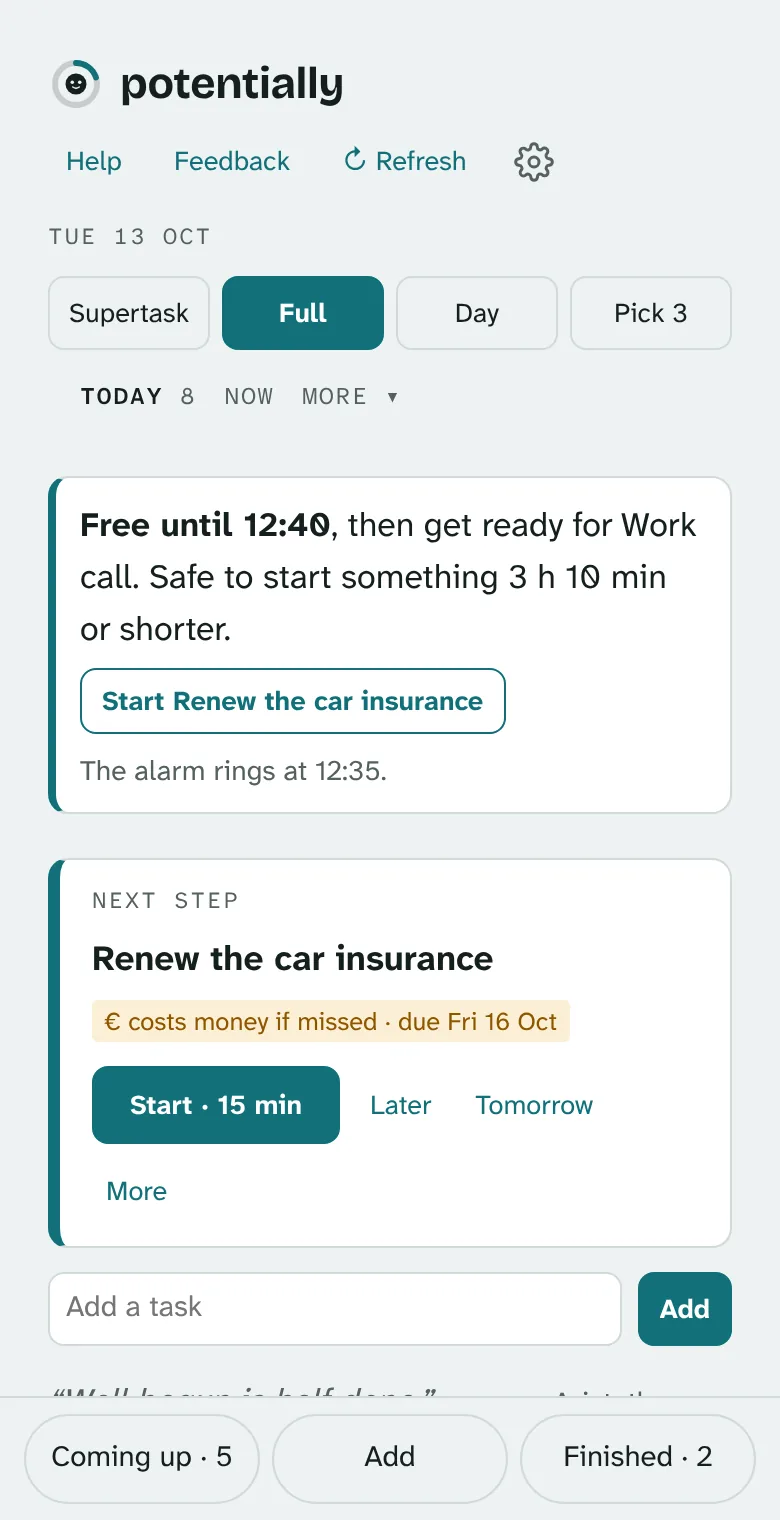
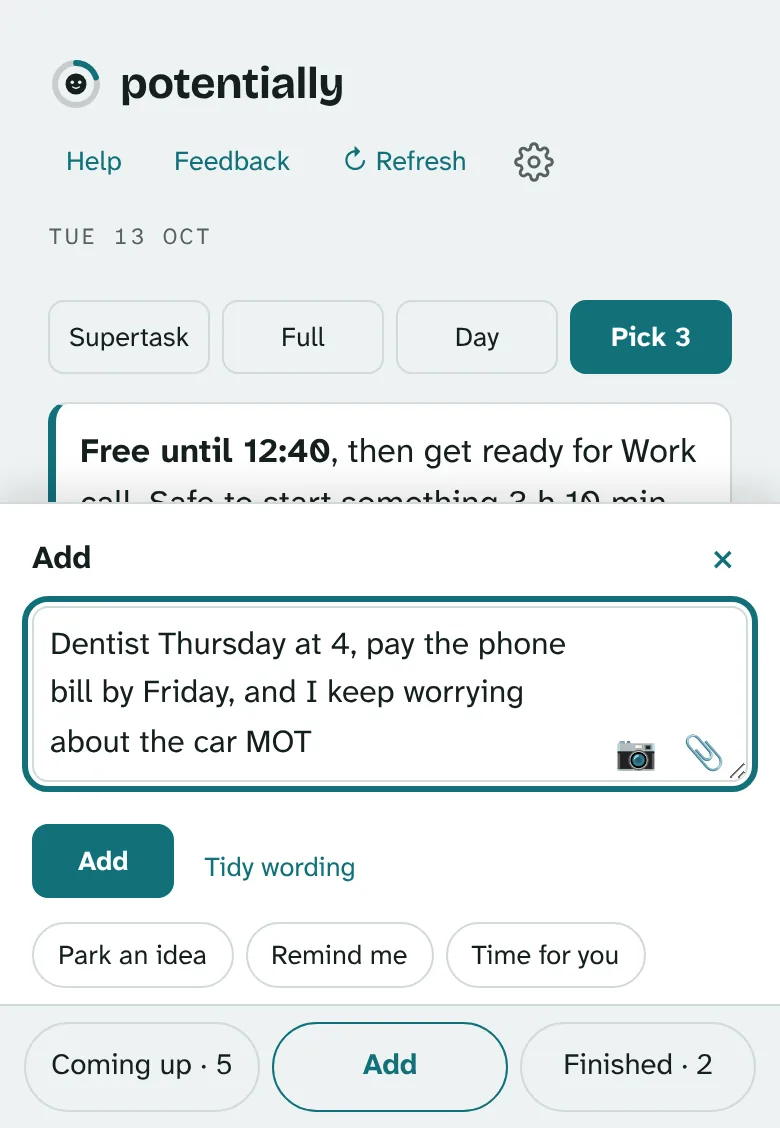
Fixed times like the school run or a work call go in as appointments. Use + Appointment on the timeline, or just mention them in the Type or talk box.Las horas fijas, como llevar a los niños al colegio o una llamada de trabajo, van como citas. Usa + Appointment en la línea del día, o simplemente menciónalas en la caja Type or talk.
Pick a viewElige una vista
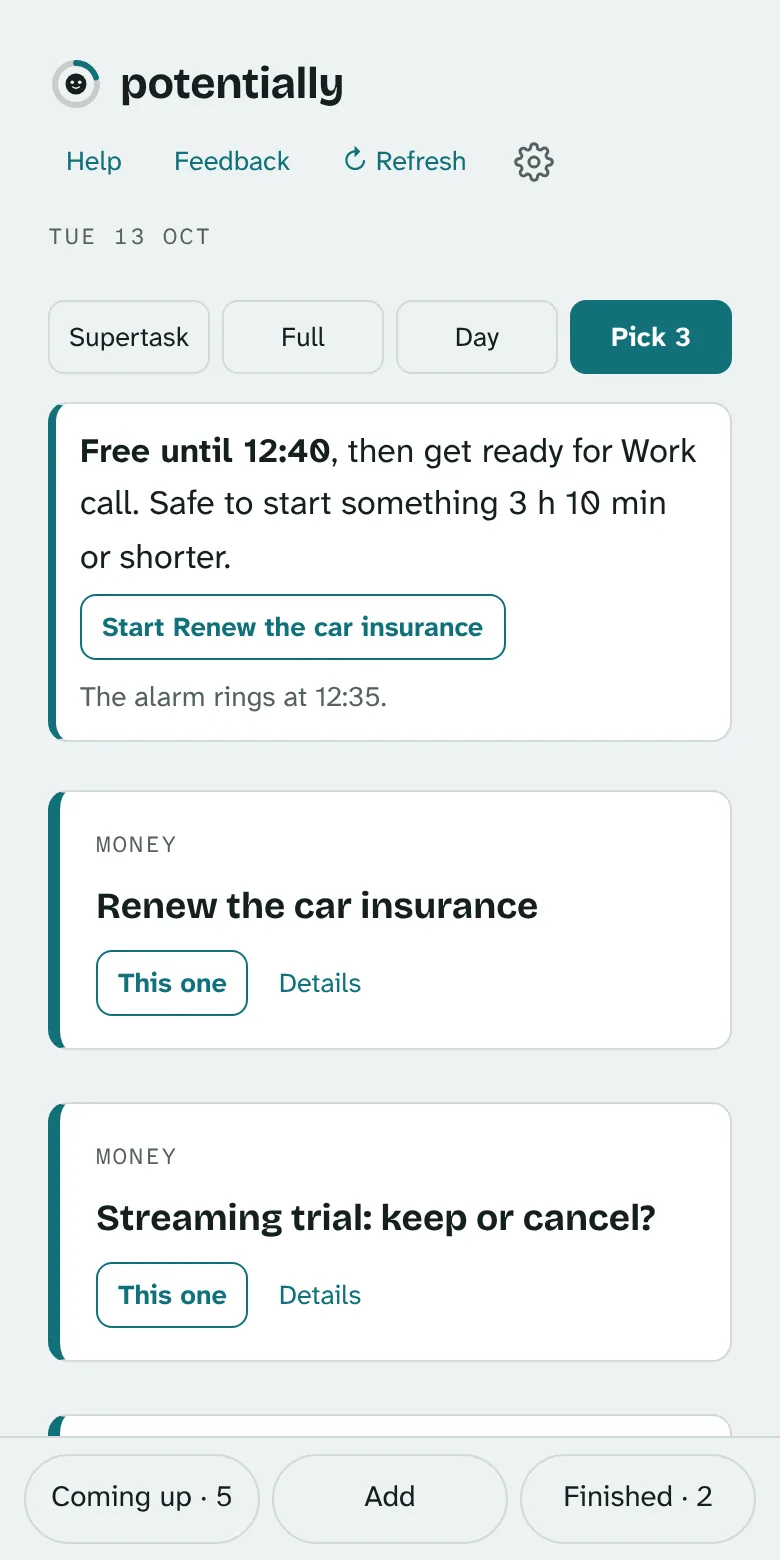
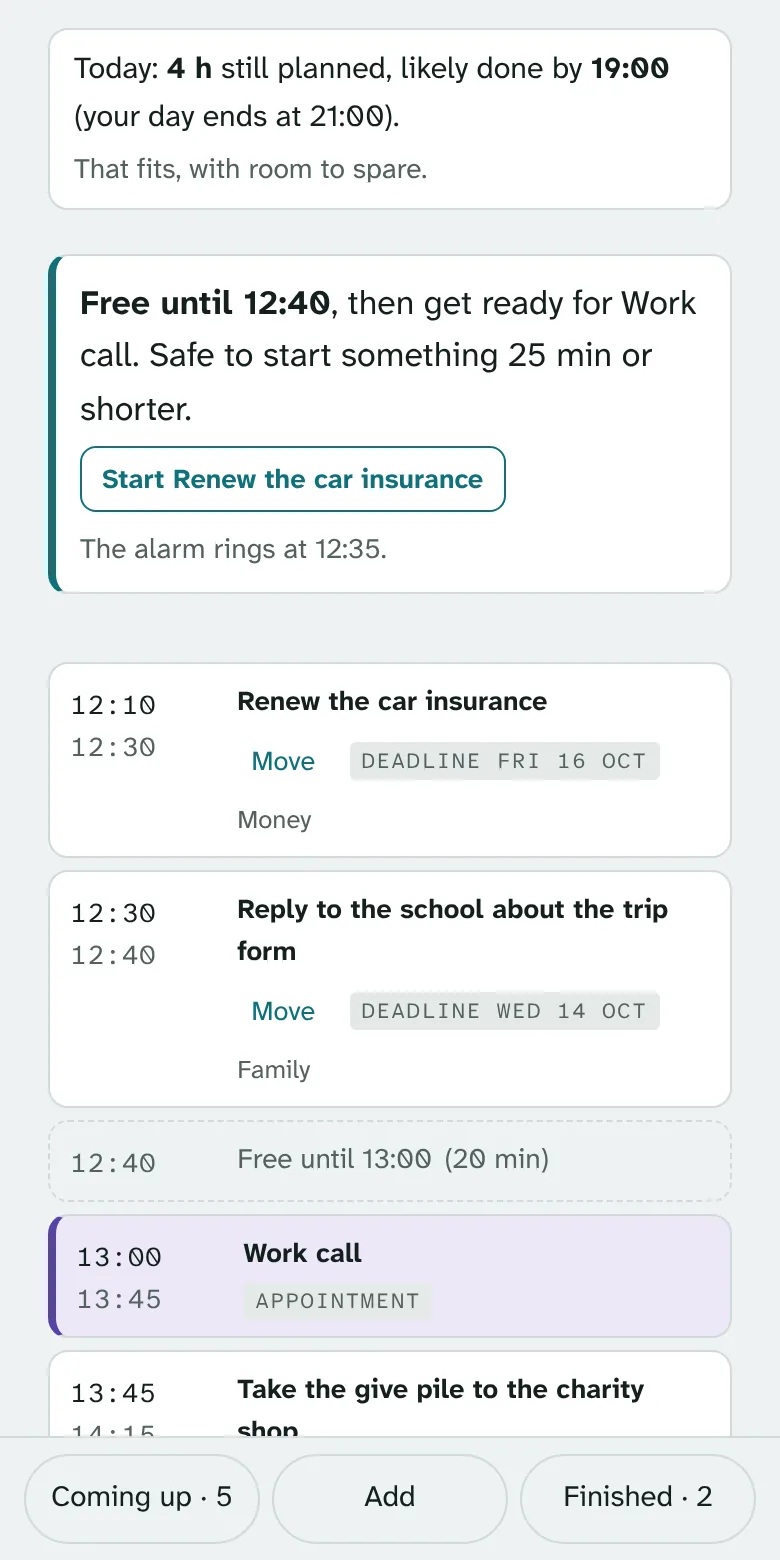
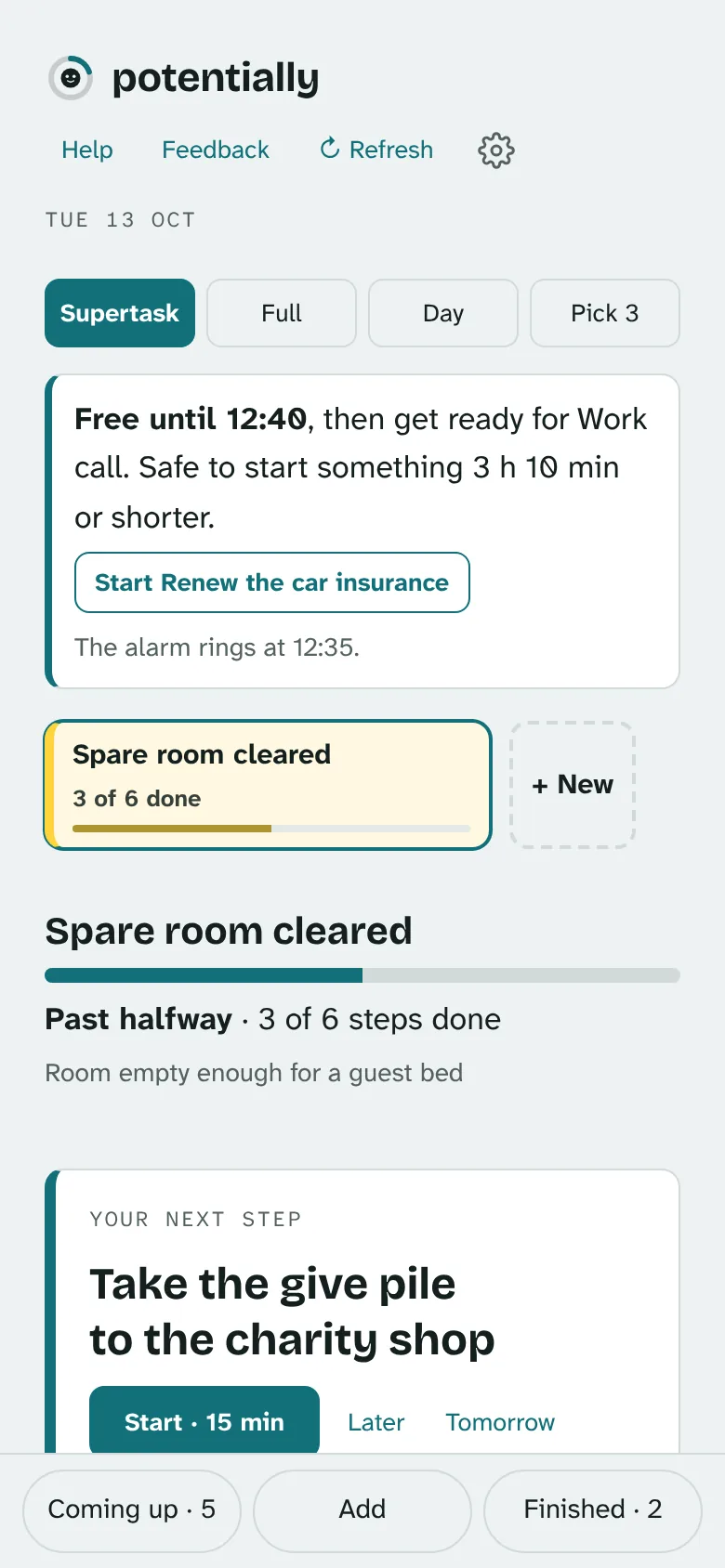
The four buttons near the top change how much of your list you see. On a phone they're called Supertask, Full, Day and Pick 3. Views only change what's shown. Nothing is moved or deleted, so switch as often as you like.Los cuatro botones de arriba cambian cuánto de tu lista ves. En el móvil se llaman Supertask, Full, Day y Pick 3. Las vistas solo cambian lo que se muestra. No se mueve ni se borra nada, así que cambia todas las veces que quieras.
Swipe the pictures sideways to see all four.Desliza las imágenes para ver las cuatro.
The morning check-inEl check-in de la mañana
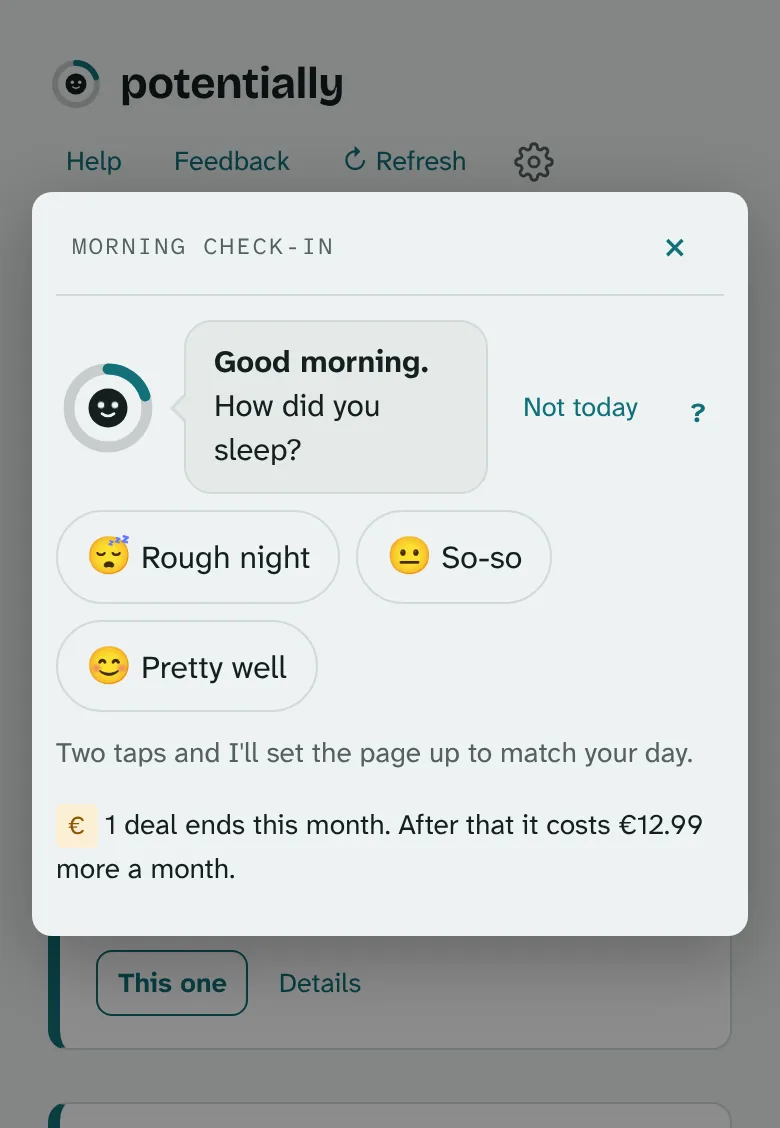
The first time you open the page each morning, Dot asks two quick questions: how you slept, and how full your tank is. The page then picks a lighter or fuller view to match your day.La primera vez que abres la página cada mañana, Dot te hace dos preguntas rápidas: qué tal has dormido y cuánta energía tienes. La página elige entonces una vista más ligera o más completa según tu día.
It's optional. Tap Not today to skip it.Es opcional. Toca Not today para saltarlo.
Start somethingEmpieza algo
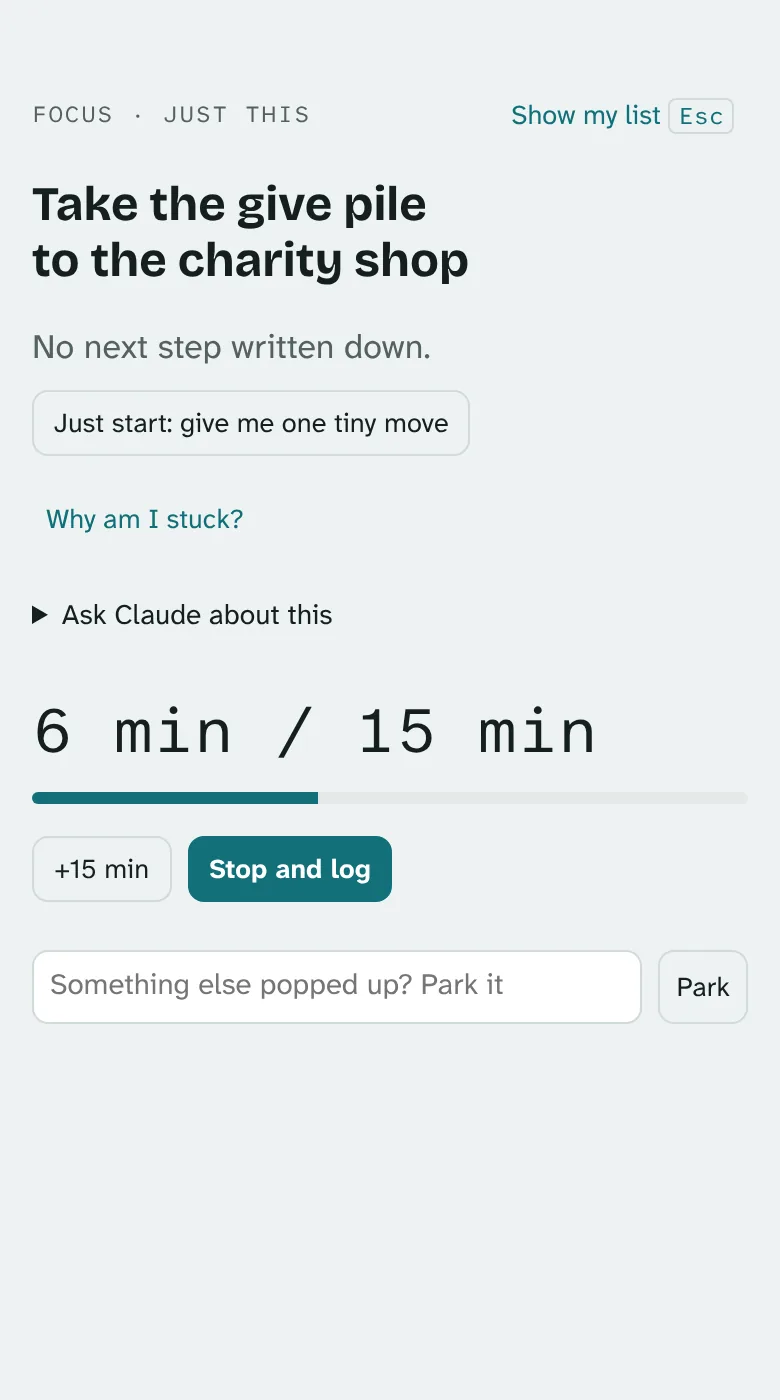
Focus timer.Temporizador. Tap Start · 15 min on a task. The page hides everything else until you stop. Tap More on the card for 30 or 45 minutes, or +15 min once you've started. Stopping early is fine.Toca Start · 15 min en una tarea. La página oculta todo lo demás hasta que pares. Toca More en la tarjeta para 30 o 45 minutos, o +15 min cuando ya hayas empezado. Parar antes está bien.
Just start. Stuck? Tap Just start: give me one tiny move. Claude suggests one tiny first step, small enough to do right now.¿Atascado? Toca Just start: give me one tiny move. Claude te sugiere un primer paso muy pequeño, que puedas hacer ya.
Where did you get to?¿Dónde te quedaste? When you tap Stop and log, write one line about where you got to. Next time, that line is shown first, so you don't have to remember.Cuando toques Stop and log, escribe una línea sobre dónde te has quedado. La próxima vez, esa línea sale primero, así no tienes que recordarlo.
Also try Why am I stuck? and Ask Claude about this when a task won't move.Prueba también Why am I stuck? y Ask Claude about this cuando una tarea no avanza.
Park it, move it, finish itApárcala, muévela, termínala
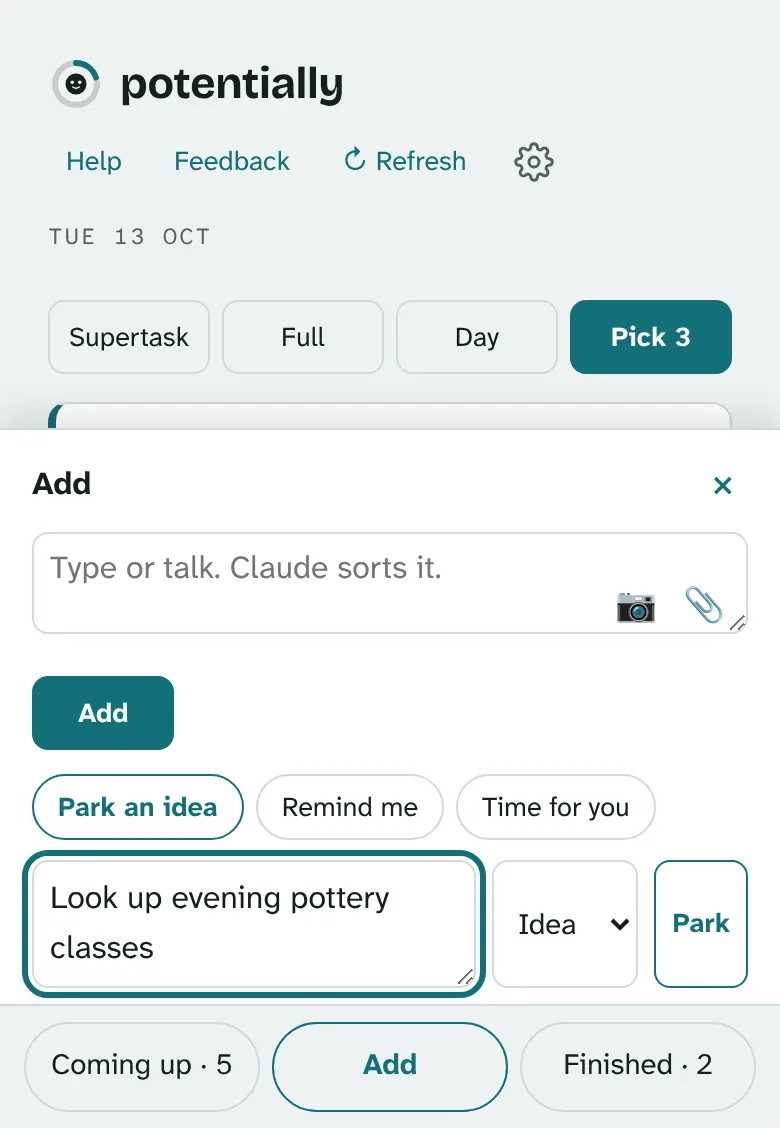
On a phone, the bar at the bottom of the screen has Coming up, Add and Finished. On a laptop the same things sit in the right-hand column.En el móvil, la barra de abajo tiene Coming up, Add y Finished. En el portátil están en la columna de la derecha.
- Park an idea · Remind me. Something popped into your head? Tap Add, then Park an idea so it's safe for later, or Remind me to set a reminder.¿Se te ha ocurrido algo? Toca Add y luego Park an idea para guardarlo para más tarde, o Remind me para poner un recordatorio.
- Later · Tomorrow. Not now? On a task's card, Later reminds you in an hour, in three hours or at 6 pm, and Tomorrow moves it to tomorrow.¿Ahora no? En la tarjeta de una tarea, Later te lo recuerda en una hora, en tres horas o a las 6 de la tarde, y Tomorrow la pasa a mañana.
- Prepare for tomorrow. In the evening the page offers to pick what's on tomorrow, so the morning starts with a plan. Change the time, or turn it off, in settings.Por la tarde la página te ofrece elegir lo de mañana, para empezar el día con un plan. Cambia la hora, o quítalo, en los ajustes.
- Finished. See what you finished today and this week. Every one counts. There are no streaks to break.Mira lo que has terminado hoy y esta semana. Todo cuenta. No hay rachas que romper.
Bigger goalsObjetivos grandes
For something with lots of parts, like clearing a room, tap + New supertask. Name the goal and say what "done" looks like, and Claude helps you break it into steps. The Supertask view shows your progress and the next step only.Para algo con muchas partes, como vaciar una habitación, toca + New supertask. Ponle nombre y di cómo se ve cuando está hecho, y Claude te ayuda a dividirlo en pasos. La vista Supertask muestra tu progreso y solo el siguiente paso.
Bills, deals and moneyRecibos, ofertas y dinero
Potentially doesn't do budgeting. It makes sure the dates that cost money reach you in time.Puede no es una app de presupuestos. Se encarga de que las fechas que cuestan dinero te lleguen a tiempo.
- Costs money if missed.Cuesta dinero si se me pasa. Tick it on a bill or renewal. It goes to the top and lands on Today 3 days before it's due.Márcalo en un recibo o una renovación. Sube al principio y aparece en Hoy 3 días antes de que venza.
- It's on a deal.Está en oferta. Type "Netflix free for 30 days then 12.99" and you get a Keep or cancel? task 5 days before the price goes up.Escribe "Netflix gratis 30 días luego 12,99" y tendrás una tarea ¿Mantener o cancelar? 5 días antes de que suba el precio.
- The Money list.La lista de Dinero. Under More, then Money: your subscriptions, bills and money coming in, with amounts hidden until you tap them. Fill it from a screenshot of your subscriptions.En Más y luego Dinero: tus suscripciones, recibos y el dinero que entra, con los importes ocultos hasta que los tocas. Rellénala con una captura de tus suscripciones.
Help and FeedbackAyuda y Feedback
At the top of the page there are two buttons:Arriba del todo hay dos botones:
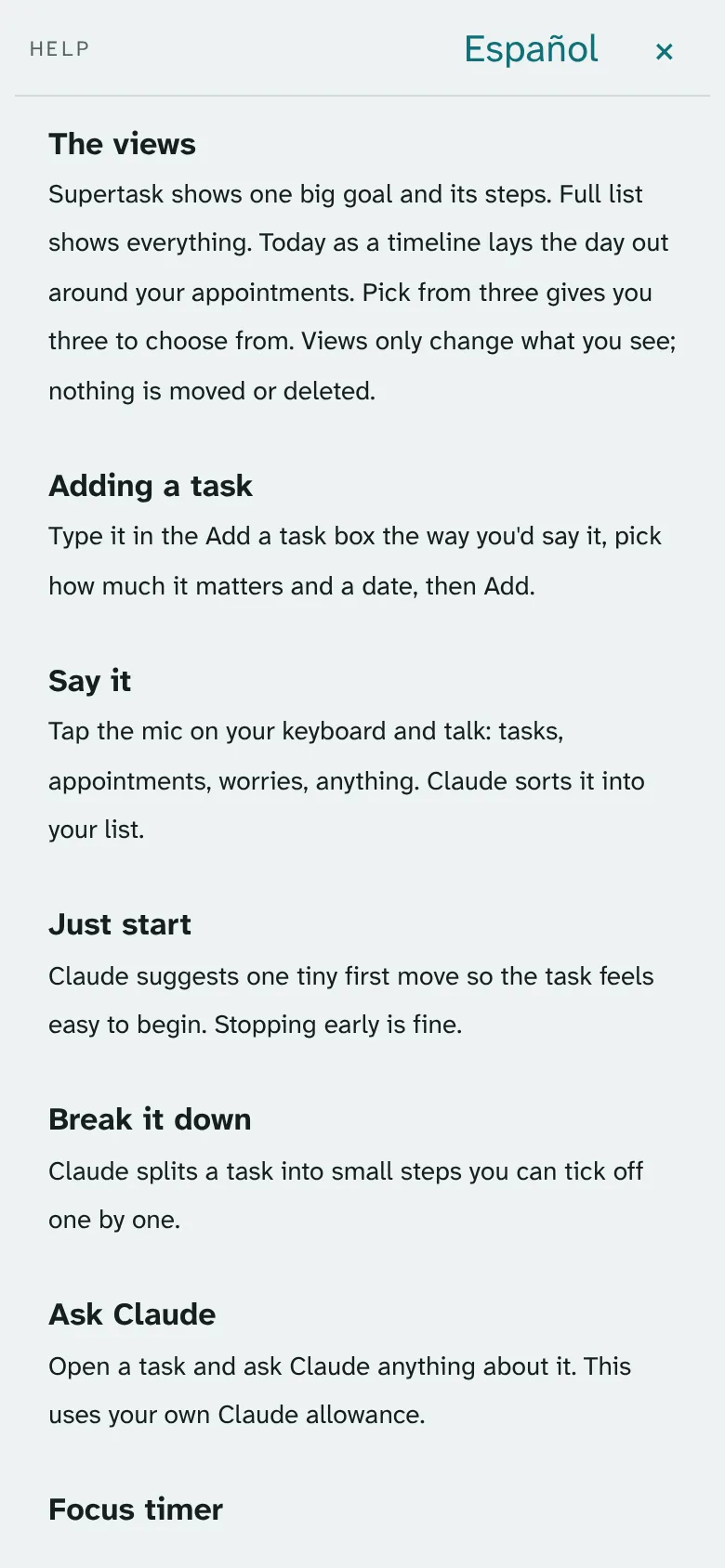
- Help. A short explanation of every view and button, in English or Español. It can replay the tour. The small ? marks open the matching help.Una explicación corta de cada vista y botón, en inglés o español. Puede repetir el recorrido. Los pequeños ? abren la ayuda de esa parte.
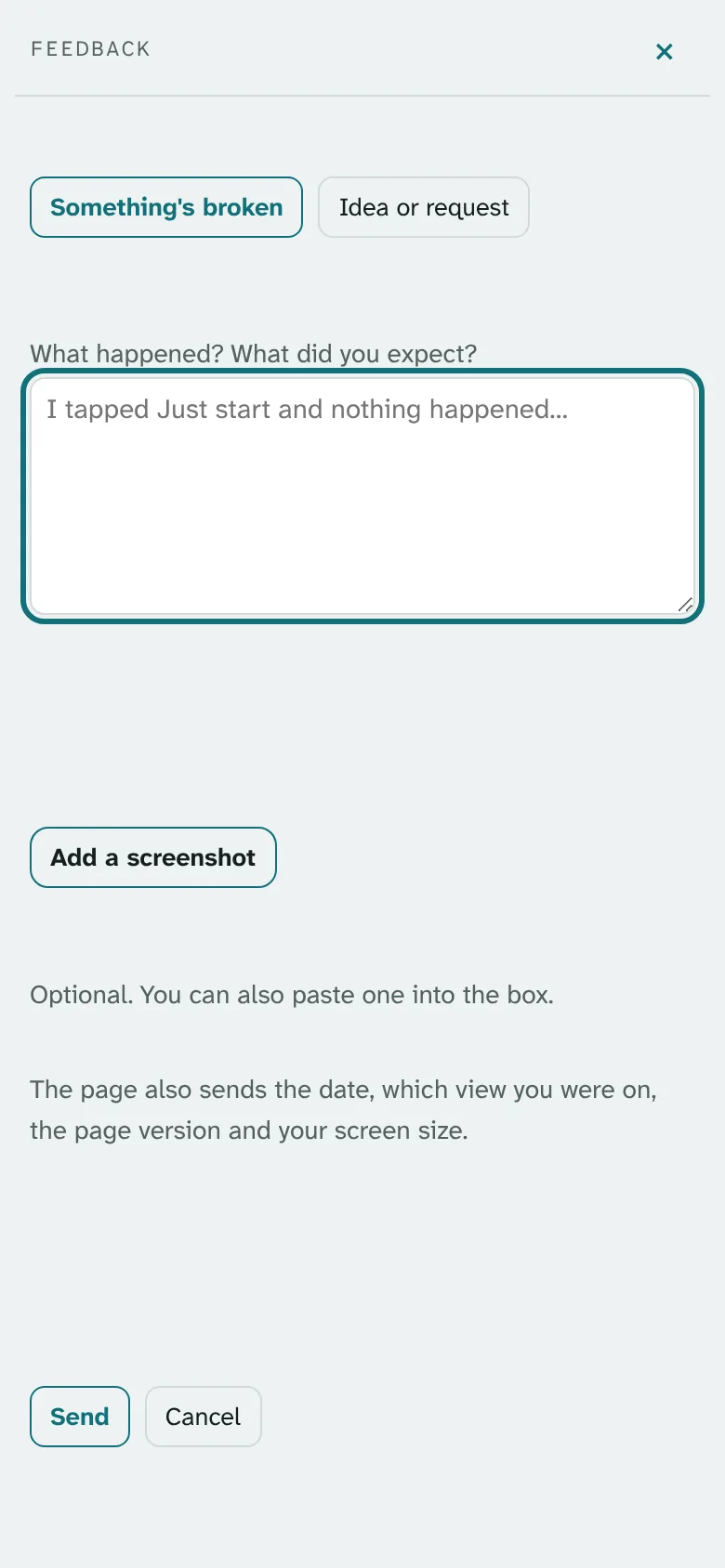
- Feedback. Choose "Something's broken" or "Idea or request", say what happened and add a screenshot if it helps. Every report is read. This is the most useful thing you can do in the test.Elige "Something's broken" o "Idea or request", cuenta qué ha pasado y añade una captura si ayuda. Se leen todos. Es lo más útil que puedes hacer durante la prueba.
Your dataTus datos
Your list is stored on Google Firebase servers in Madrid. Open settings (the cog at the top) and use Download my data whenever you want a copy. When the full version is ready, your list moves across, matched by your email.Tu lista se guarda en servidores de Google Firebase en Madrid. Abre los ajustes (la rueda de arriba) y usa Download my data cuando quieras una copia. Cuando la versión completa esté lista, tu lista se pasará allí, identificada por tu email.
Ask, Just start and the other Claude features come with a free monthly allowance during the test, shown at the bottom of the page. If you use it up, the rest of the page keeps working, and simpler versions of those buttons still help.Ask, Just start y las demás funciones de Claude incluyen un cupo mensual gratis durante la prueba, que ves abajo en la página. Si lo gastas, el resto de la página sigue funcionando, y esos botones siguen ayudando de forma más sencilla.
If something's wrongSi algo falla
- My tasks don't save.Mis tareas no se guardan.
- Check that you're signed in with the email the invite went to, and that you're online. Changes made offline save when you're back online. If it still won't save, send Feedback or email james@citrusgoose.es.Comprueba que has iniciado sesión con el email al que llegó la invitación y que tienes conexión. Lo que cambies sin conexión se guarda al volver a tenerla. Si sigue sin guardar, envía Feedback o escribe a james@citrusgoose.es.
- It says I don't have access.Dice que no tengo acceso.
- You're probably signed in with a different email. Tap Sign out on that screen and sign back in with the invited one.Seguramente has entrado con otro email. Toca Salir en esa pantalla y vuelve a entrar con el email invitado.
- Claude's buttons don't answer.Los botones de Claude no responden.
- You may have used this month's Claude allowance, or be offline. The buttons still give a simpler answer without Claude. Try again later, or when you're back online.Puede que hayas gastado el cupo de Claude de este mes, o que no tengas conexión. Los botones siguen dando una respuesta más sencilla sin Claude. Inténtalo más tarde, o cuando vuelvas a tener conexión.
- The page looks out of date.La página parece desactualizada.
- Tap Refresh at the top. The page updates during the test, so things may move around a little.Toca Refresh arriba. La página se actualiza durante la prueba, así que algunas cosas pueden cambiar un poco de sitio.