For days when starting is the hard part.
Potentially shows only as much of your list as today can hold, shrinks each task to one small first move, and lets Claude do the parts it can.
It's built for people whose attention and energy change from day to day, including people with ADHD. Nothing on it asks for or labels a diagnosis.
Already invited? Open Potentially
This is a test of the concept. It's free while it runs. Share it
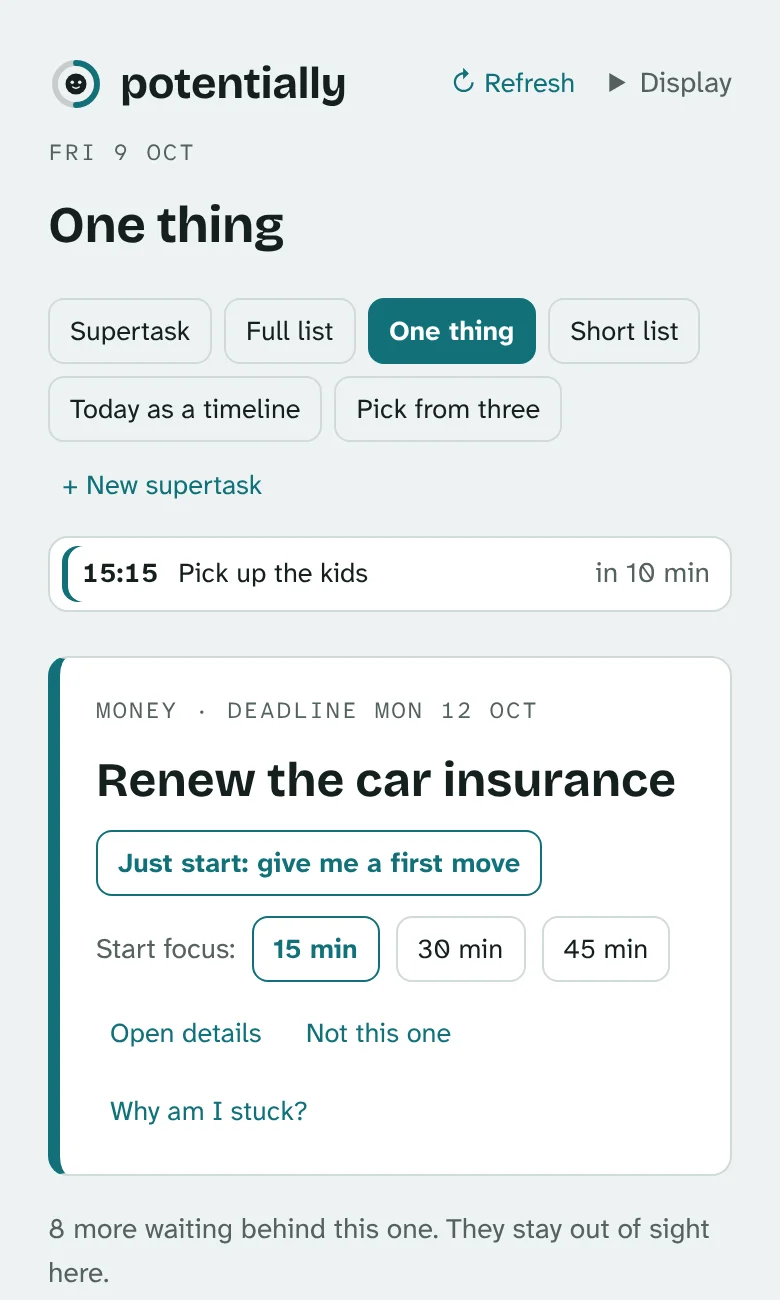
For many people the hard part isn't remembering. It's starting.
Most task apps help you remember. Potentially is built around the everyday things that get in the way of doing.
Too much on screen
A long list makes it hard to pick anything, so the page shows less.
Getting started
A task shrinks to one tiny first move, or goes to Claude outright.
Losing the thread
When you stop, one line is saved about where you got to, and it's shown first next time.
Energy that varies
A morning check-in picks a lighter or fuller view for the day.
Feeling behind
It counts what you did finish. There are no streaks to break and no points.
Four views, picked by how today feels.
One thing
A single task and its first move. Nothing else.
Short list
Only hard deadlines and things people have asked you for.
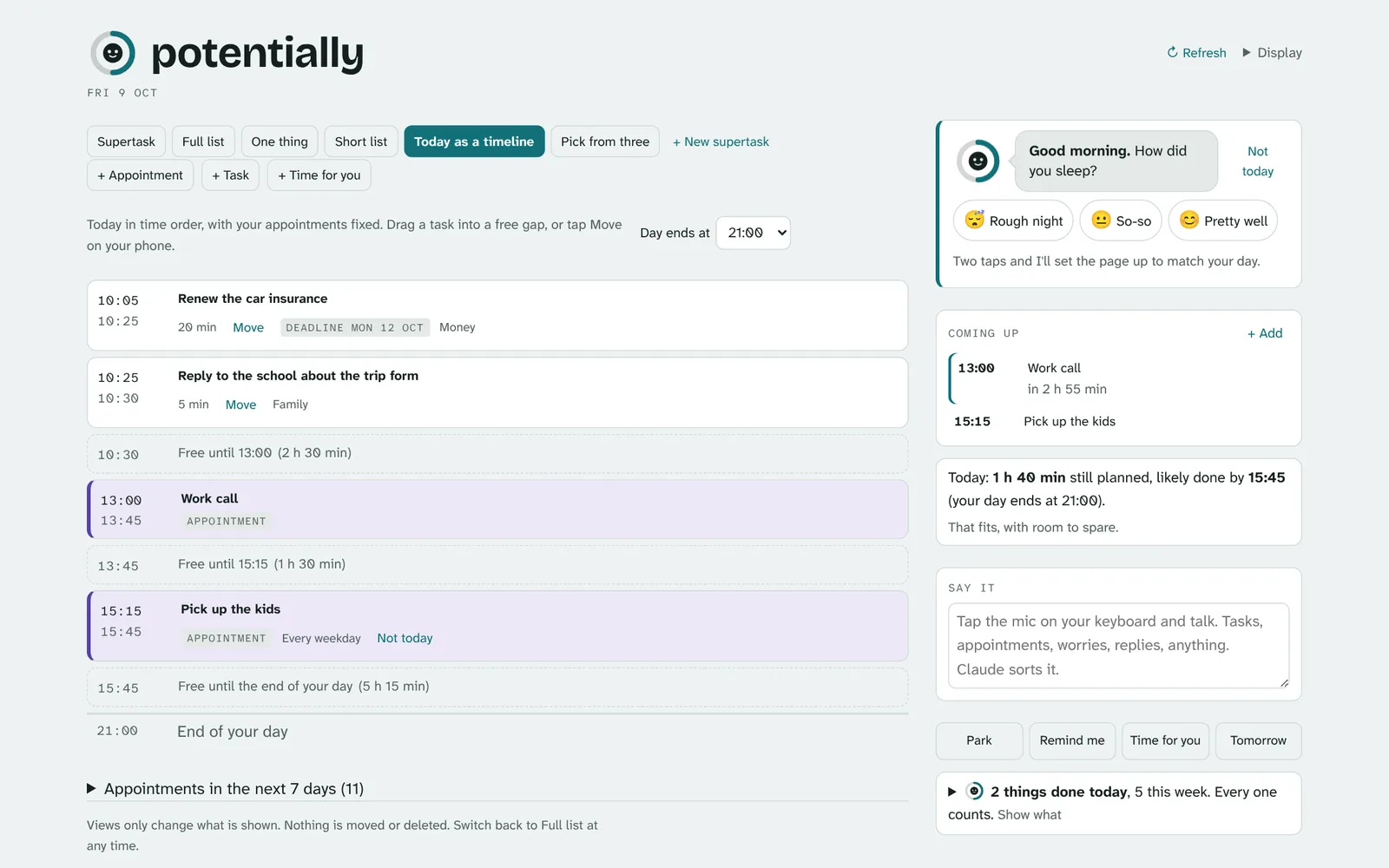
Today
A timeline with appointments as fixed blocks. It warns when the day is too full.
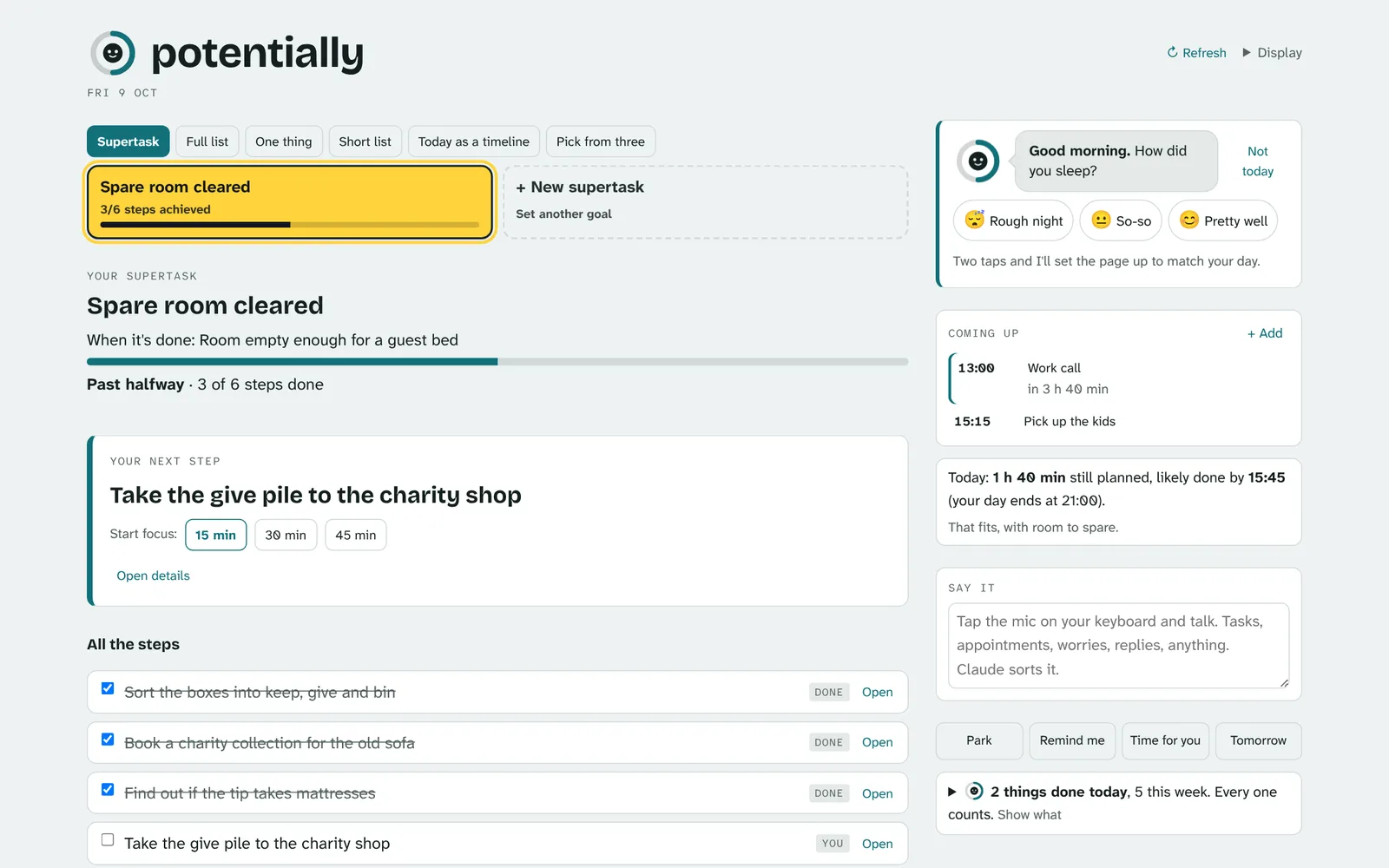
Supertask
One bigger goal with every step under it, marked as yours or Claude's.
What it looks like on a laptop.
Screens from the test version, filled with example tasks.
From invite to your first task done.
Ask for an invite below
Leave the email you use, or will use, for Claude.
Wait for your invite by email
Setup isn't automatic. We add each tester by hand while the test runs, so it can take a few days. The invite comes from Claude, as an email about a shared page.
Sign in with Claude
Use "Continue with Google" or a code sent to your email. A free Claude account is enough to start.
Answer the morning check-in
Two taps for sleep and energy, or skip it. It opens the view that fits and asks what you want to achieve today.
Add what's on your mind
Type or dictate. Claude sorts what you said into separate tasks, with dates where you gave them.
Press Just start or Start focus
Just start gives one tiny first move. Focus runs a 15 to 60 minute timer and fades everything else.
What you can try, and what's not here yet.
In the test
- One thing, Short list, Today and Supertask views
- Morning check-in and the wins line
- Just start, Break it down, Focus and Park
- Ask and Research it on any task
- Appointments, leave-by times and repeats
- English or Español
Not yet
- Claude doing jobs for you in other apps
- Phone notifications when the page is closed
- An Android app (it's planned)
- Calendar import
Things may break. Tap Feedback at the top of the page to report a problem or ask for something, and we'll see it.
Ask for an invite
Your list will be private to you. When the full version is ready, your list moves across with you.
Already have your invite? Open Potentially and sign in with the same Claude account.
Before you sign up
Why do I need a Claude account?
During the test, Potentially runs as a private page inside Claude, made by Anthropic. Claude's sign-in is how you log in, with Google or an emailed code. It's also what keeps your list private to you.
What does it cost?
Nothing from Potentially. Ask, Research it and the other Claude features use your own Claude plan's allowance. The free plan covers light use.
Who can see my list?
Other testers can't see it. We can see tester lists, so we can fix problems and move your data to the full version. Your list is stored with Anthropic as part of the Claude service.
Where do I find help inside the app?
Tap Help next to Feedback at the top of the page. It explains each view and button in a line or two, and can replay the short tour you see on your first visit. The small ? marks open the matching help too.
How do I report a problem or suggest something?
Tap Feedback at the top of the page. Choose "Something's broken" or "Idea or request", say what happened, and add a screenshot if it helps. We read every report.
What happens after the test?
The plan is a standalone web and Android version. Your list will be moved across, matched by your email. You can also download your data at any time from the page's settings.
Is this a medical product?
No. Potentially is a task tool. It doesn't diagnose, treat or replace care for ADHD or anything else.